
For SAP S/4HANA
Data Refresh Operator: client copies only as large as they need to be
The Data Refresh Operator (DRO) is software for consistent, time-slice-based client copies in SAP S/4HANA. Because only the period you need is copied, QA, test and sandbox systems become significantly smaller and cheaper to run. And the refresh turns from a weekend-long effort with the SAP standard client copy into a fast run you can repeat with every release. ABAP-native, with integrated masking.
- –75%
- HANA RAM in non-production
- 3 days → 12 h
- Duration per refresh
- –60%
- Storage & backup
Guideline values from reference scenarios. The actual effects depend on system size, history and refresh cycles.
The standard client copy is one of the most expensive tools in your SAP landscape
- Slow
- Full copies often tie up systems, the Basis team and business departments for days – per run.
- Expensive to run
- Every copy duplicates the entire history. As a result, QA, test and sandbox systems need almost production sizing.
- Risky
- Long runtimes, manual steps and unclear intermediate states turn every run into a major effort.
- Hard to control
- All or nothing: the scope can hardly be limited by business criteria.
- Too coarse for the business
- You need the last few months – decades get copied.
- Data protection under pressure
- Unmasked production data ends up in systems with broad authorisations.
In S/4HANA, main memory is the biggest cost lever – full copies pay for it several times over
Main memory determines the bill. RAM decides sizing, hardware or cloud instances and licensing models.
Non-production multiplies the costs. The history occupies the most expensive infrastructure component – again in every QA, test and sandbox system.
Small footprint, same informative value. Time slices deliver production-like test data with a fraction of the memory requirement.
With standard full copies, the full history sits in main memory four times – in PRD, QA, DEV and SBX. With DRO time slices, it sits there once in production, alongside only lean time slices.
Time-slice-based client copies: consistent up to the fixpoint
You choose the time frame, for example the last 90 days. DRO identifies the associated business objects via its object model, starts exporting immediately and continues to resolve dependencies in parallel – until the fixpoint, the verifiable point at which nothing is missing any more. Consistency instead of a date boundary.
Time slice selected: the last 90 daysDRO follows the dependencies back into earlier years …Fixpoint reached: no dependent document is missing.
- No data bottleneck
- Bulk data flows directly between the source and target system – the control system is deliberately not a bottleneck.
- One central control point
- All runs are controlled from one control system. Users do not need landscape-wide authorisations.
- Refresh becomes routine
- Repeatable, plannable runs in step with your releases instead of a major weekend operation.
DRO uses AI-supported verification tools to check that every dependent document really makes its way into the copy: the completeness of the document chains is verified by machine.
How a refresh with DRO works – in five steps
Choose time slice & profile
Define the time frame and run profile: transactional data, master data, customising – maintained centrally, with exception lists down to table level.
Resolve dependencies
DRO follows dependencies iteratively across the object graph – until the fixpoint, the verifiable point at which nothing is missing any more.
Export immediately & in parallel
Parallel workers export objects as soon as they are found – with a SHA-256 checksum per data block and a manifest as the binding table of contents.
Mask
Optional but integrated: rules held centrally in the control system, applied during export or import.
Import in a controlled way
Consistency check of the packages, safe table preparation, parallel import and validation afterwards – with complete logging.
Not just the copy – the complete process, automated
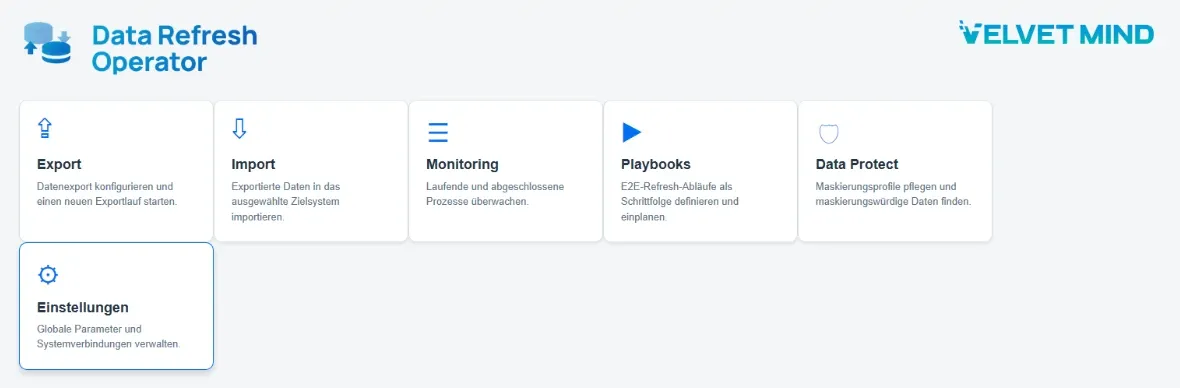
A client refresh is more than export and import: announcements, downtime windows, user locks, number ranges, follow-up tasks, ramp-up. DRO playbooks automate the entire process – monitored, and with notifications exactly the way you want them.
Fri 22:00 export → automatic transfer → announcement in the target system → scheduled downtime window → automatic ramp-down → validated import → customer-specific follow-up tasks → ramp-up ready for handover.
The control system
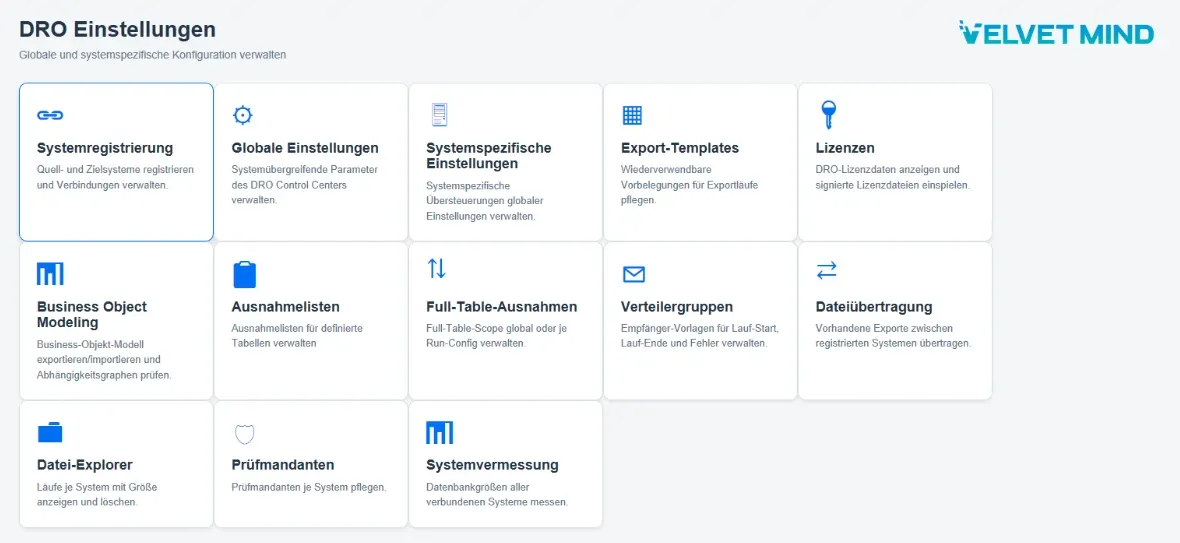
DRO runs as an ABAP application in your SAP landscape, without additional infrastructure. Business object model, exception lists, verification clients, notifications and system measurement: everything that controls a run is held centrally in the control system and can be viewed at any time.
Built for running large S/4HANA landscapes
- Lower operating costs
- HANA main memory is the most expensive component. With time slices, QA, test and sandbox systems are sized according to their purpose.
- Fast & repeatable
- Parallel workers, overlapping processing, pause & resume: refreshes in step with your releases.
- Verifiable consistency
- Dependent documents are exported almost simultaneously with their source documents. Resolution verifiably runs until the fixpoint.
- Security by design
- System roles prevent imports into production, finalised packages are immutable, every block is secured by a checksum.
- Integrated masking
- Production-like testing without personal data in plain text – rules defined centrally, applied during export or import.
- No black box
- DRO explains why every table and every document is included: simulation beforehand, fully logged runs afterwards.
The difference from the standard client copy
| Standard client copy | Data Refresh Operator |
|---|---|
| The complete history in every run | Time slice plus automatically added dependencies |
| Permanently near-production sizing in non-production | Considerably smaller sizing possible |
| All or nothing: hardly controllable by business criteria | Time frame, run profiles and exception lists controllable per run |
| Masking only via separate tools | Masking integrated and maintained centrally |
| A termination often means an expensive restart | Pause & resume at the level of atomic work packages |
| A BDLS run for the logical system names after every copy | Logical system names are replaced during the import – no BDLS run |
| Only technical logs – why something is copied remains unclear | Simulation beforehand, manifest and complete audit trail |
DRO also takes its own path compared with other tools: built from the ground up for S/4HANA rather than ported from the ECC era – with immediate export as soon as objects are found, machine-verified completeness of the document chains and an open, extensible object model that also includes customer objects.
Detailed comparison: client copy, system copy, time slice
Why client copies take so long – and what really helps
SAP TDMS is not supported in the SAP S/4HANA context: the alternative
The standard client copy in detail: transactions, profiles, follow-up tasks
Made for large S/4HANA landscapes
- Several QA, test and development systems per production system – HANA memory as a noticeable cost factor
- Regular need for up-to-date, production-like test data for projects, releases and support
- Data protection and compliance requirements for test data in non-production systems
- Basis and test management teams that want plannable refreshes instead of weekend coordination
Deliberately S/4HANA – no compromises. DRO is ABAP-native, HANA-optimised and aligned with S/4 data models. We have deliberately decided against ECC compatibility: no legacy baggage at the expense of performance and architecture. The architecture is designed for very large data volumes.
Frequently asked questions about DRO
How can a partial copy be consistent?
DRO copies business objects rather than date ranges. Dependencies are resolved iteratively across the object graph until the fixpoint – the verifiable point at which no new objects are added. Objects are exported as soon as they are found, not only at the end. This keeps related data from drifting apart in a running system.
Why is the memory lever so much bigger today than it used to be?
S/4HANA works in memory: data occupies main memory, and main memory determines sizing, hardware or cloud instances and licensing. In the past, the history sat on inexpensive disks – today it occupies the most expensive infrastructure component, again in every non-production system. Every full copy you avoid directly reduces running costs.
What happens to personal data?
Masking is integrated into DRO. Rules are maintained centrally in the control system and applied either during export or during import. Data Protect also helps you find data that needs masking. This way, production-like test data reaches the non-production systems without personal data in plain text.
Do we need additional infrastructure?
No. DRO is an S/4HANA-native ABAP implementation and runs in your existing landscape. The central control system controls all runs; bulk data flows directly between the source and target system.
How long does implementation take?
The technical basic setup can be in place in one day if the internal contacts are available. Then come the training of the people involved and the first test runs. Overall, we expect a few weeks rather than months – depending on how many customer-specific tables are included.
How does DRO include customer-specific tables?
You define your own business objects or extend existing ones with additional tables and dependencies. If a Z table depends on a standard table in business terms, you store this relationship in the model – it is then only copied if the parent object is copied as well. You maintain this directly in the system or via a documented JSON import. The entire model is open to view.
We already use a tool for system copies. Does DRO fit in?
For client copies, DRO is intended as a replacement: DRO handles control and execution itself. System copies and other tasks of your existing tools are not affected.
We moved to S/4HANA with a migration tool. Is that a problem?
No. Wherever an SAP client copy is technically and functionally possible, DRO can be used as well.
What happens if a run is interrupted?
Export and import are split into small, atomic work packages with persistent status management. Runs can be paused and resumed; orphaned packages are detected and reassigned. SHA-256 checksums and the manifest ensure that only complete, unaltered data is processed.
Do we still need a BDLS run after the import?
No. DRO knows in advance the fields that contain logical system names and replaces the values during the import, before they are written to the database. The subsequent BDLS run, which often takes hours on large systems, is no longer needed.
Which releases does DRO support?
DRO runs on SAP S/4HANA from release 2023. DRO deliberately does not support SAP ECC: it focuses consistently on S/4HANA, with HANA performance, modern ABAP patterns and S/4 data models.
Is DRO an alternative to SAP TDMS?
Yes. According to SAP Note 2696183, SAP TDMS is not supported in the SAP S/4HANA context. In S/4HANA, DRO takes on the task for which many companies used TDMS: lean, consistent test systems with production-like data. More on moving from TDMS
Do we still need Velvet Mind after implementation?
No. DRO is built for in-house operation: after handover and training, you carry out client copies yourself. As standard, our support is available with a response time of up to eight hours; stricter SLAs can be agreed. If you wish, we take over operations or individual tasks.
How does the free demo work?
Remotely and with no obligation: we present DRO and the time-slice principle, answer your questions and use your own use cases to show the benefits for your landscape. We also discuss how you can get to know DRO in your own landscape.
What can DRO do in your landscape?
In a free demo, we show you DRO live using your own use cases – remotely and with no obligation. We discuss where the benefits lie for memory, refresh time and operating costs, and how you can try DRO in your own landscape.
- Benefits specific to your use cases
- A live look at time slice, dependency resolution, export and import
- Answers directly from the team behind DRO